Report an issue
File a bug report from inside Alan, attach evidence, and follow it until it's resolved.
If Common problems doesn't cover what you're seeing, report it from Alan. A report goes to the Alan team with your device details attached, and you can follow its status and reply to questions in the app.
Get help
Open the account menu (your name, bottom left). Under Help & feedback:
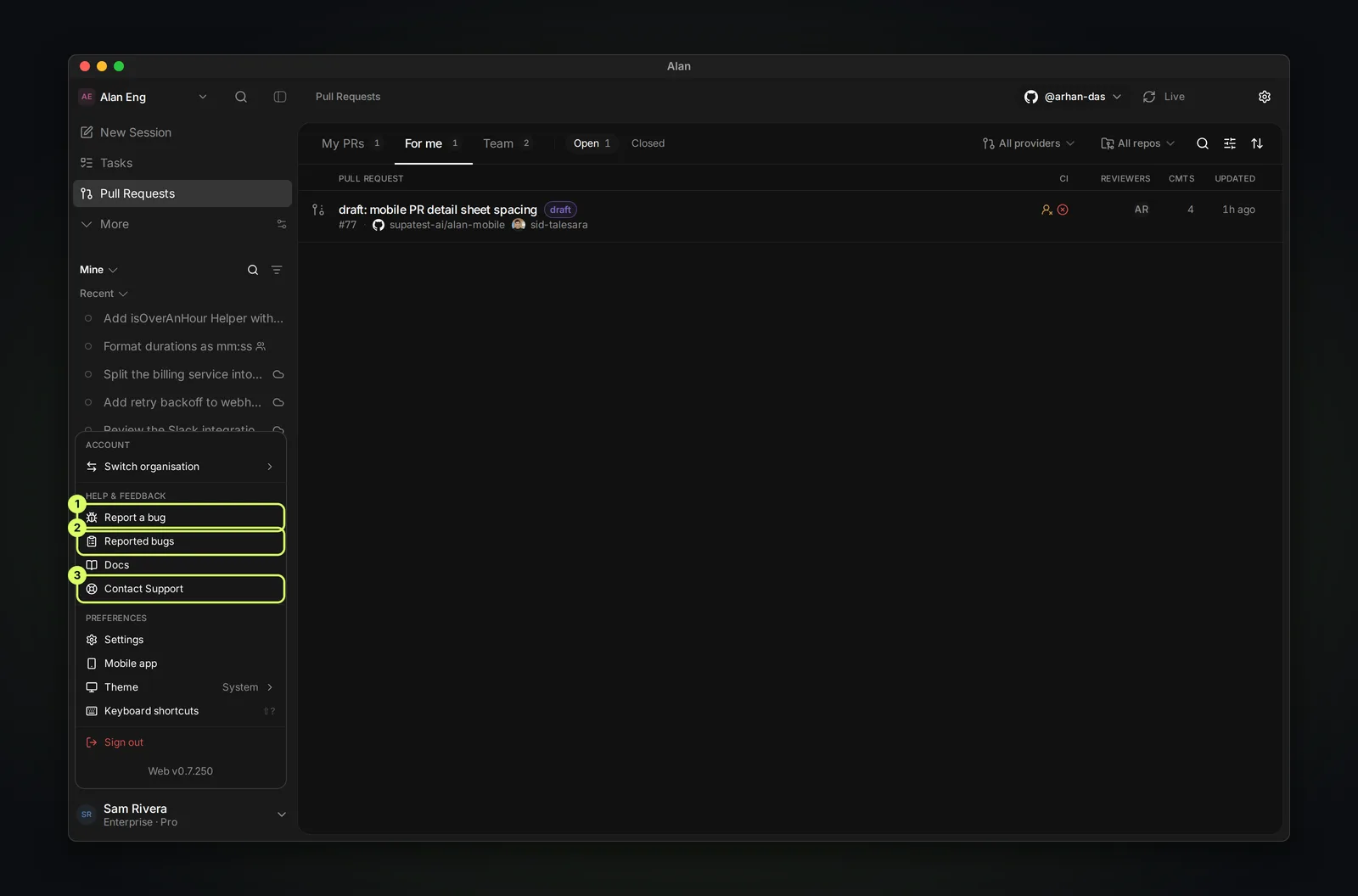
| Item | What it does |
|---|---|
| Report a bug | Opens a new bug report |
| Reported bugs | Lists the reports you've filed |
| Docs | Opens this documentation |
| Contact Support | Opens a chat with the Alan team |
You can also email support@tryalan.ai, including if you can't sign in.
Report a bug
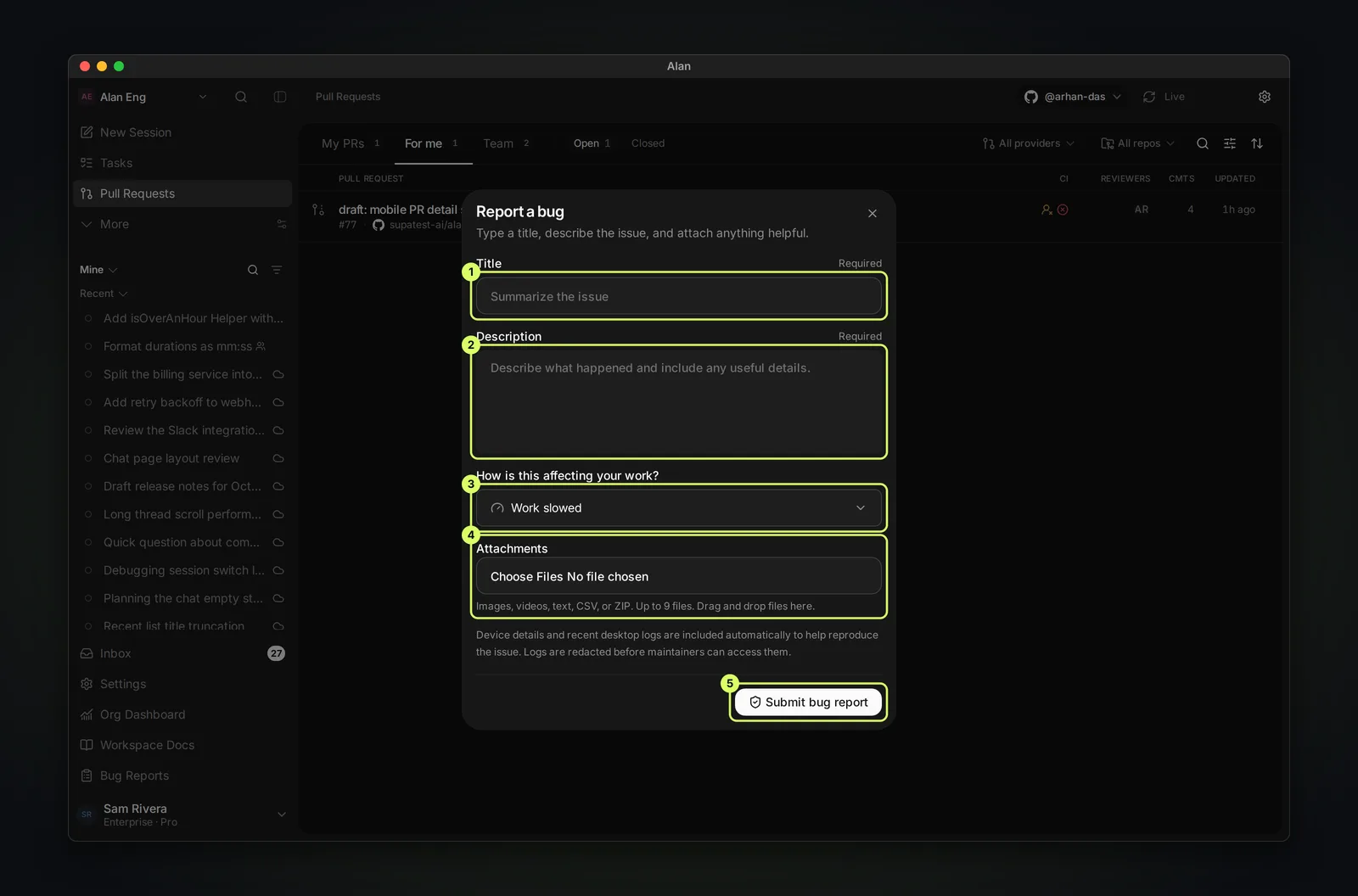
Title
Required. A one-line summary, for example "Desktop stays blank after waking a cloud session".
Description
Required. What you did, what you expected, and what happened instead. Include the exact message and any HTTP … · Request … line.
How is this affecting your work?
Minor, Work slowed (the default), Some work blocked, Work blocked, or Work lost.
Attachments
Optional. Images, videos, text, CSV, or ZIP, up to 9 files. Choose them, or drag them onto Attachments.
Submit
Choose Submit bug report. You'll see Bug report submitted.
Alan includes device details and recent desktop logs automatically. Logs are redacted before maintainers can access them.
Report a problem with a session
For a problem in a specific session, use Report bug in that session's … menu instead. Leave Include session diagnostics on to attach session IDs, connection state, and message counts. This excludes chat text, local paths, and raw errors, and uses one attachment slot.
Follow a report
Open Reported bugs, or Settings → Account → Bug reports. Each report shows a reference such as REP-2026-2CAF7F8C64, its status, and when it was last updated. Use Filters to narrow the list.
| Status | Meaning |
|---|---|
| Received | Filed and waiting to be looked at |
| Needs information | The Alan team needs more detail from you |
| Investigating | Someone is looking into it |
| Known issue | Confirmed and tracked, not fixed yet |
| Resolved | Fixed |
| Closed | No further action, for example a duplicate |
Open a report to see what you sent and its Evidence. Files show Preparing until they pass the safety review. Use Add evidence to attach more files later.
Under Conversation, reply in the box ("Add context or answer a question"). Answer here when a report is Needs information.