Organisation settings
Settings that apply to your whole Alan organization: identity, plan, members, teams, models, connections, network, and archives.
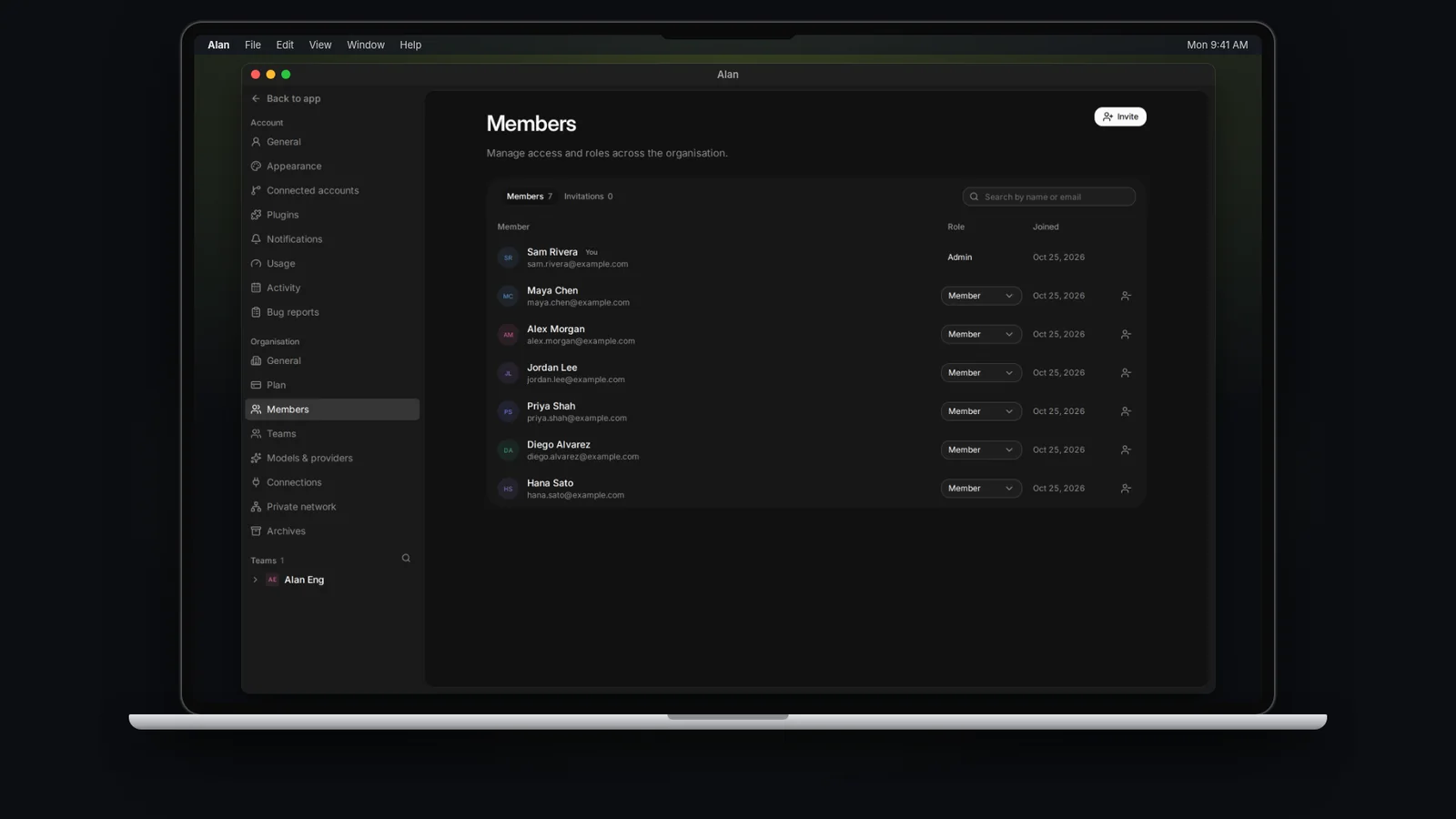
Your organization (also called your workspace) holds every team, member, plan, and shared connection. Everyone in the organization sees the Organisation group in Settings; only some controls are limited to organization admins:
- General: only admins can edit the name and icon.
- Members: only admins see Invite and can change roles or remove people. Members see the list ("People in this organisation. Organisation admins manage access and roles.").
- Plan: members see only their own usage plan; seats, billing, and usage credits are for admins.
Any member can manage Models & providers. Access to other sections also depends on your plan and whether a connection or document is shared with you.
| Section | What you manage |
|---|---|
| General | Name, icon, organisation key, and Workspace Docs |
| Plan | Feature tier, usage plan, seats, billing, and usage credits. See Plans and limits. |
| Members | Who belongs to the organization and their role. See Members and teams. |
| Teams | Create teams and open each team's settings |
| Models & providers | Which models the organization can use, and your own provider keys |
| Connections | Source control and other connections shared with teams. See Connect GitHub. |
| Private network | Internal services and VPNs cloud sandboxes can reach |
| Archives | Organization-wide documents and whiteboards you can restore |
General
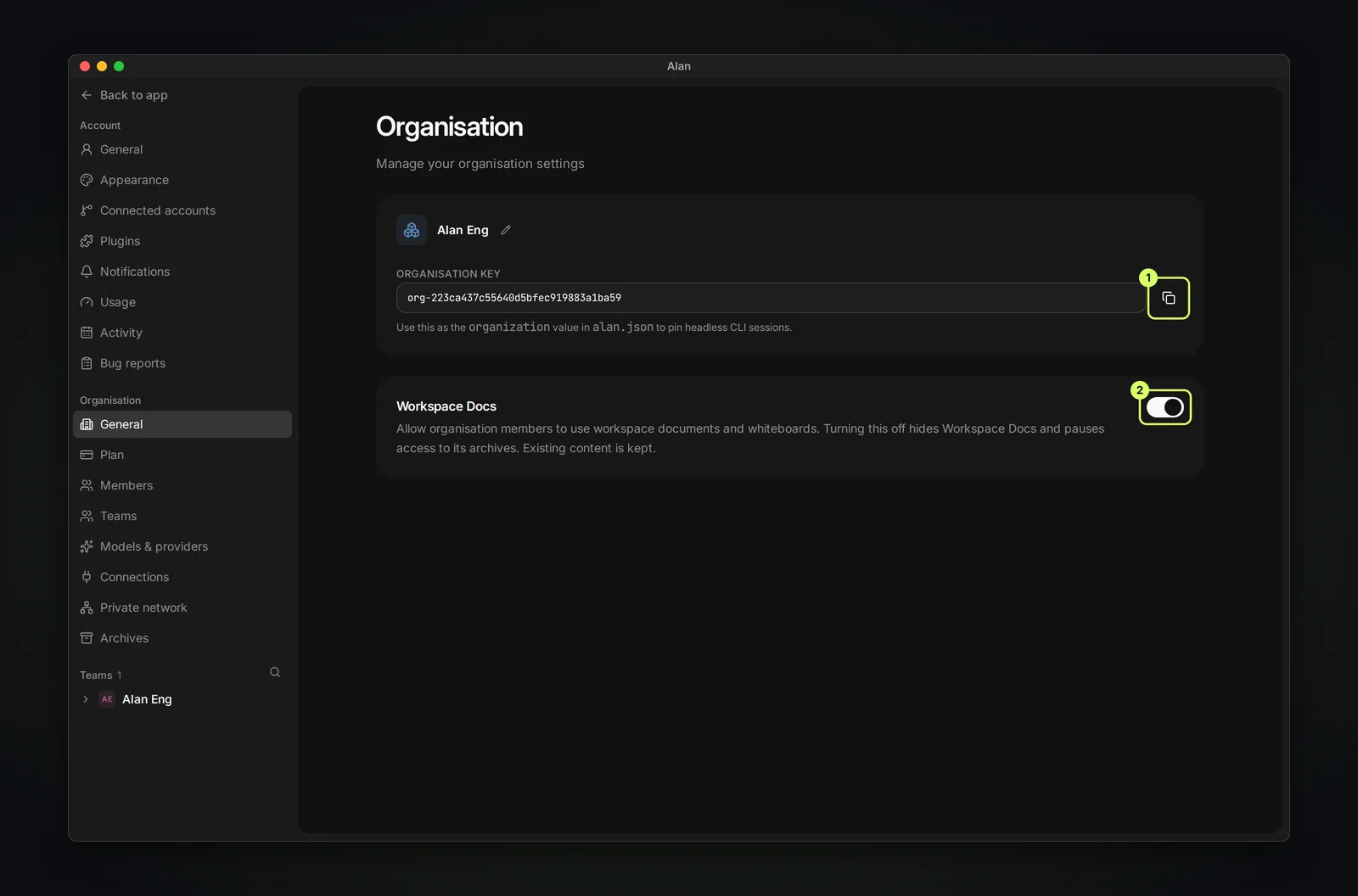
- Name and icon: choose Edit organisation name or Select team icon.
- Organisation key: copy it into the
organizationvalue of analan.jsonfile to pin headless CLI sessions to this organization. - Workspace Docs: lets members use organization-wide documents and whiteboards. Turning it off hides Workspace Docs and pauses access to its archives; existing content is kept. Workspace Docs requires the Enterprise tier.
Models & providers
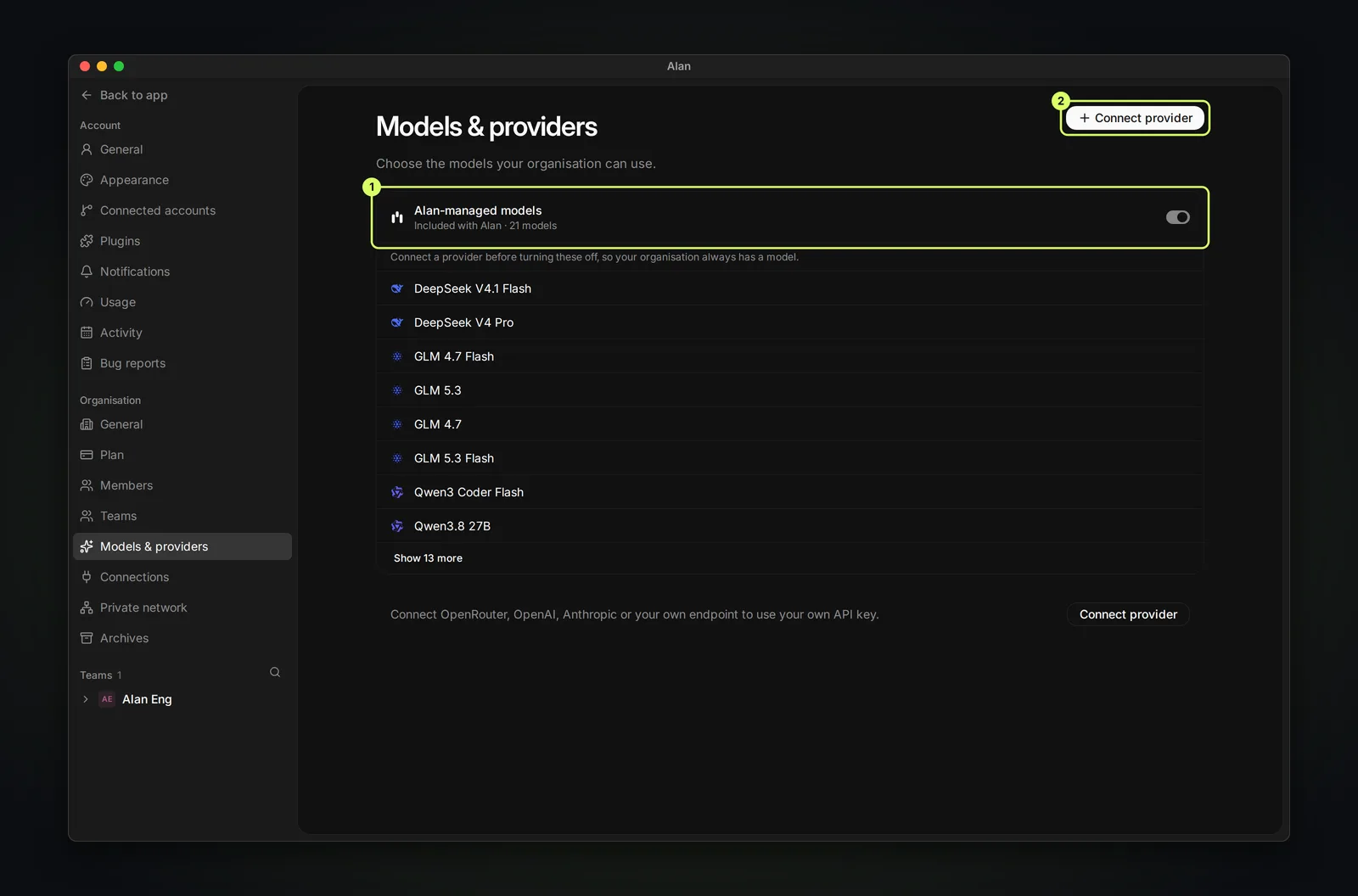
"Choose the models your organisation can use." Alan-managed models are included with Alan. To use your own API key, choose Connect provider and connect OpenRouter, OpenAI, Anthropic, or your own endpoint. You can only turn Alan-managed models off once another provider is connected, so the organization always has a model. Provider keys are stored encrypted.