Agent profiles
Pick the right Alan agent profile for planning, implementation, review, design, or coordination.
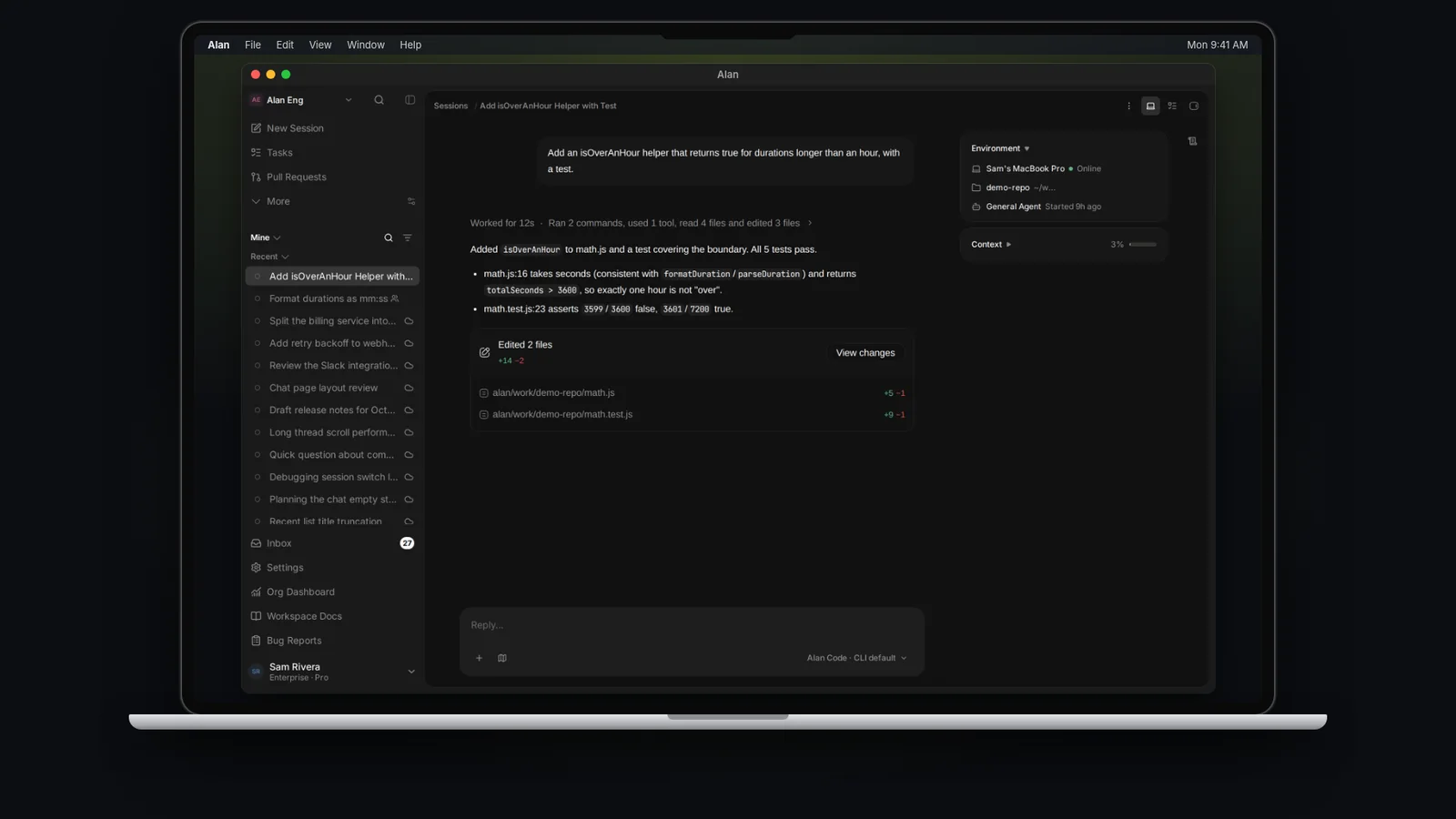
An agent profile sets the agent's role and permissions in a session. Choose General Agent for everyday work, or a specialist for planning, review, design, or coordination. The table below shows which profiles can edit files, run commands, and delegate work.
This is a different concept from a coding agent (Claude Code, Codex, Cursor Agent, and so on) — the underlying CLI that actually edits files and runs commands. See Coding agents, models, and defaults.
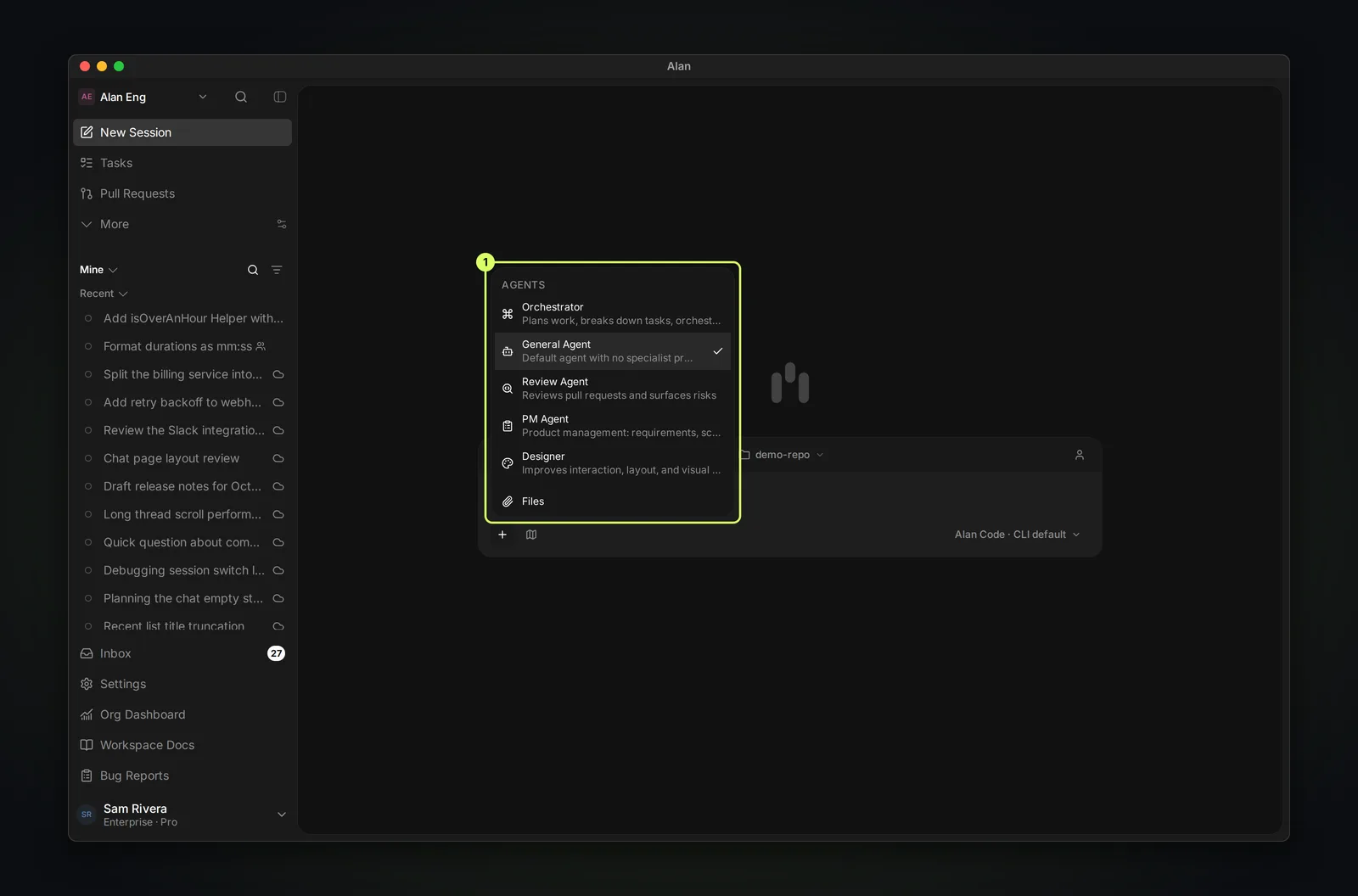
You choose a profile from the composer's + menu, under Agents. Each profile shows its name and a one-line description, and the selected one has a check mark. General Agent is the default for new sessions, including sessions started from a task.
Cloud environment setup uses an internal Setup Agent that you don't pick yourself. The Set up cloud environment button starts it with the built-in alan-environment-setup skill. See Set up with an agent.
The profiles
Orchestrator — plan and delegate
Breaks a goal into tasks and subtasks, then coordinates other agents to do the work by starting sessions for them. Use it when the work is bigger than one thread and needs to be split and handed off.
General Agent — default build and flexible work
Builds features, fixes bugs, and investigates problems. It follows your repository's instructions without an extra specialist prompt. This is the default for new sessions and the fallback if a selected profile is unavailable.
Review Agent — inspect a PR
Reviews pull requests and surfaces risk. It is read-only for files — it inspects and reasons but does not change code. It opens in review mode by default. Use it to get findings, risk, and validation gaps on a PR.
PM Agent — requirements and scope
Owns requirements, scope, PRDs, and task breakdown. It cannot edit files or run commands. It writes its requirements and specs as team Documents, and can start sessions and manage subtasks to hand work off. Use it to turn intent into a well-shaped plan before anyone writes code.
Designer — interaction and visual clarity
Improves layout, interaction, and visual clarity in the UI layer. Reads design tokens and matches component patterns. Use it for focused UI/UX work rather than backend logic.
What each profile can do
Each profile has fixed permissions:
| Profile | Edit files | Run commands | Start sessions | Manage subtasks | Default mode |
|---|---|---|---|---|---|
| Orchestrator | ✅ | ✅ | ✅ | ✅ | Agent |
| General Agent | ✅ | ✅ | — | — | Agent |
| Review Agent | — | ✅ | — | — | Review |
| PM Agent | — | — | ✅ | ✅ | Agent |
| Designer | ✅ | ✅ | — | — | Agent |
Only Orchestrator and PM Agent can start sessions and manage subtasks — they are the profiles built to coordinate and hand off work. Review Agent and PM Agent cannot edit files, so they can assess work without changing your code.
Pick this when…
| Your next action | Profile |
|---|---|
| Break a large goal into tasks and delegate | Orchestrator |
| Ship a feature or fix, or do mixed work in one thread | General Agent |
| Ask a quick question or shape an idea in a chat | General Agent |
| Get findings and risk on a pull request | Review Agent |
| Turn product intent into a plan or PRD | PM Agent |
| Improve a screen's layout or interaction | Designer |
Pick the profile based on your next action, not the overall project. One task often uses several sessions: PM Agent to plan, General Agent to build, Review Agent to check. Switching profiles between sessions is normal and keeps each session's behavior sharp.